
I approached this QRBarcode review with one practical question: can the anonymous generator make a styled code that still decodes, or is it mainly a design demo?
On July 21, 2026, I created a URL code for TableConvert’s CSV to Excel converter, changed its color treatment and error correction, exported the available formats, and checked the encoded result again. I also exercised the Wi-Fi and barcode paths, then compared what I could use anonymously with the account-backed features described in the live product and its public implementation. A separate QR scanner is available for users who want to inspect an image manually.
The short answer is that QRBarcode is a capable free QR code generator for static work. Its strongest idea is not simply “add a logo.” It exposes a surprisingly deep design system while keeping the live preview and the PNG/SVG downloads close to the controls. Its dynamic QR codes, analytics, bulk CSV workflow, and API are a different, server-backed product surface; I researched those features but did not pretend to test them from an anonymous session.
What I tested, and what I did not
The distinction matters in a review of a product with both local and hosted behavior.
My hands-on test covered the public URL generator, the live preview, solid and linear color modes, error-correction choices, PNG and SVG export, the Wi-Fi payload form, and the built-in barcode generator. I also ran the project’s current rendering regression set against the same codebase. Sixty tests passed across QR SVG rendering, barcode rendering, and PNG generation. Those tests decode the generated symbols rather than merely checking that an image exists.
I did not create a paid campaign, collect real visitor analytics, submit a production bulk CSV, or exercise a private API key. The sections about dynamic destinations, analytics, bulk generation, and API access are therefore feature research based on the public interface and implementation—not claims about a long-running campaign.
The URL QR workflow is quick but not shallow
The home screen opens directly into the generator. The content types are grouped rather than buried in a menu. Direct types include URL, Text, Email, Phone, SMS, vCard, WhatsApp, and Wi-Fi. Managed media types—PDF, App, Images, Video, Social, and Event—sit in a separate group, followed by Barcode.
For my test I replaced the default URL with https://tableconvert.com/csv-to-excel. The preview updated without a submit step. I then switched the color mode from Solid to Linear and raised error correction from the default M to H. The editor preserved the content while I moved between those settings.
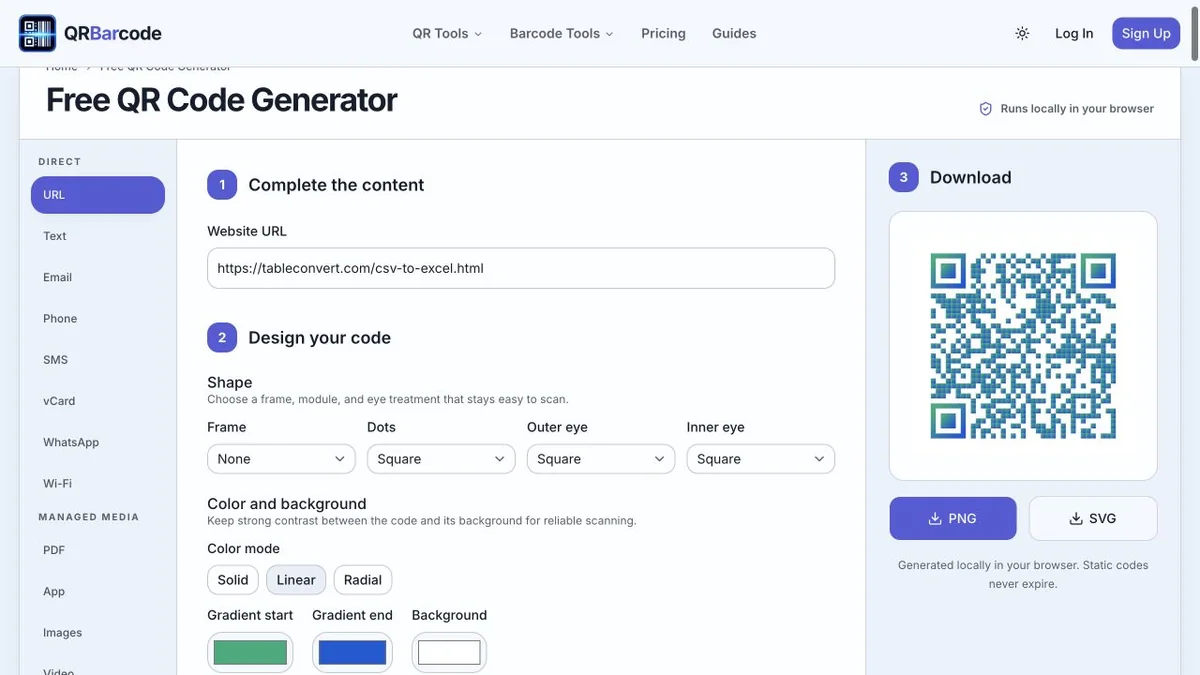
Hands-on test on July 21, 2026: the URL preview updated while the linear gradient and H-level correction were selected.
This is where the tool feels more considered than a typical free QR code generator. The controls are arranged around three real decisions: the payload, the symbol design, and the download. I did not have to open a decorative modal or move between a wizard’s pages to compare changes.
The design depth is substantial. The current editor defines 20 frame treatments, eight module or dot styles, eight outer-eye styles, and eight inner-eye styles. Color can be solid, linear-gradient, or radial-gradient, with an optional transparent background. Branding supports built-in marks or a custom upload. Error correction exposes L, M, Q, and H.
That does not mean every combination is equally reliable. A QR code generator with logo controls can still produce a poor print if the logo covers too much data, the colors lack contrast, the quiet zone is cropped, or a soft raster image is enlarged. QRBarcode warns about contrast and density, and the decode regression tests cover representative design combinations. I would still test the final artwork on the actual phone, size, material, and lighting used in production.
PNG and SVG: both useful, for different destinations
The anonymous generator offers PNG and SVG buttons beside the live preview. PNG is convenient for slides, social graphics, documents, and other workflows that expect a bitmap. SVG is the more useful master for signage, packaging, and layout software because it can scale without softening the module edges.
I downloaded both artifacts from the live page. The PNG was 1200×1200 pixels; decoding its pixels returned the exact URL https://tableconvert.com/csv-to-excel. I rendered the downloaded SVG at 700×700 and decoded that raster too; it returned the same URL. I then re-ran the broader renderer checks. The current suite also decodes designs with alternate frames, dots, eyes, gradients, and supported logo placement.
This is stronger evidence than judging the preview by sight. A QR image can look plausible and still be invalid. At the same time, a successful software decode is not print certification. Paper texture, glare, ink spread, physical damage, low contrast, and a missing quiet zone can change the result after download.
My practical rule would be simple: keep the SVG as the source, make a PNG only for systems that require it, and scan the final placed version—not just the clean browser preview.
Wi-Fi generation is genuinely local static work
I next opened the Wi-Fi type and entered a synthetic network name and password created only for the test. The form exposed the security type, SSID, password, and hidden-network flag, then produced a code through the same design and download system.
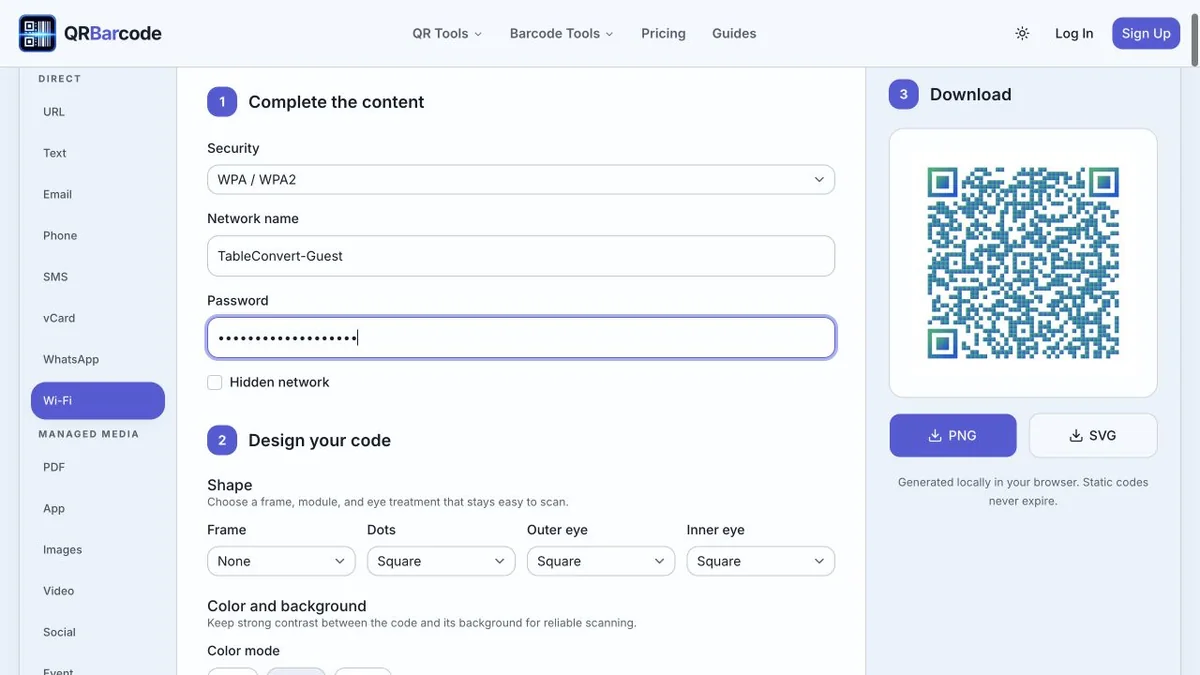
Hands-on test on July 21, 2026, using non-sensitive synthetic Wi-Fi details; no real credential was entered.
The page labels this path as locally generated. That privacy boundary is important: the Wi-Fi credentials become part of the QR payload, so anyone who can photograph or scan the symbol can read them. Local generation avoids sending the form data to a QR rendering service, but it does not encrypt the finished code. I would never put a private administrative network password on a public sign simply because the generator runs in the browser.
The same direct-encoding principle applies to text, email, phone, SMS, vCard, and WhatsApp. Static content is embedded in the symbol. It does not need a QRBarcode redirect to decode, and the image itself does not expire. A URL inside it can still break if the destination is removed.
The barcode tab is more than a token extra
QRBarcode also includes a dedicated barcode generator surface. The current product supports six non-QR formats: Code 128, EAN-13, UPC-A, Data Matrix, PDF417, and Aztec.
I generated a Code 128 symbol with the synthetic value TABLECONVERT2026. The interface deliberately removes the QR styling controls in this mode; it asks for a format and value, validates the payload, and shows the relevant download area.
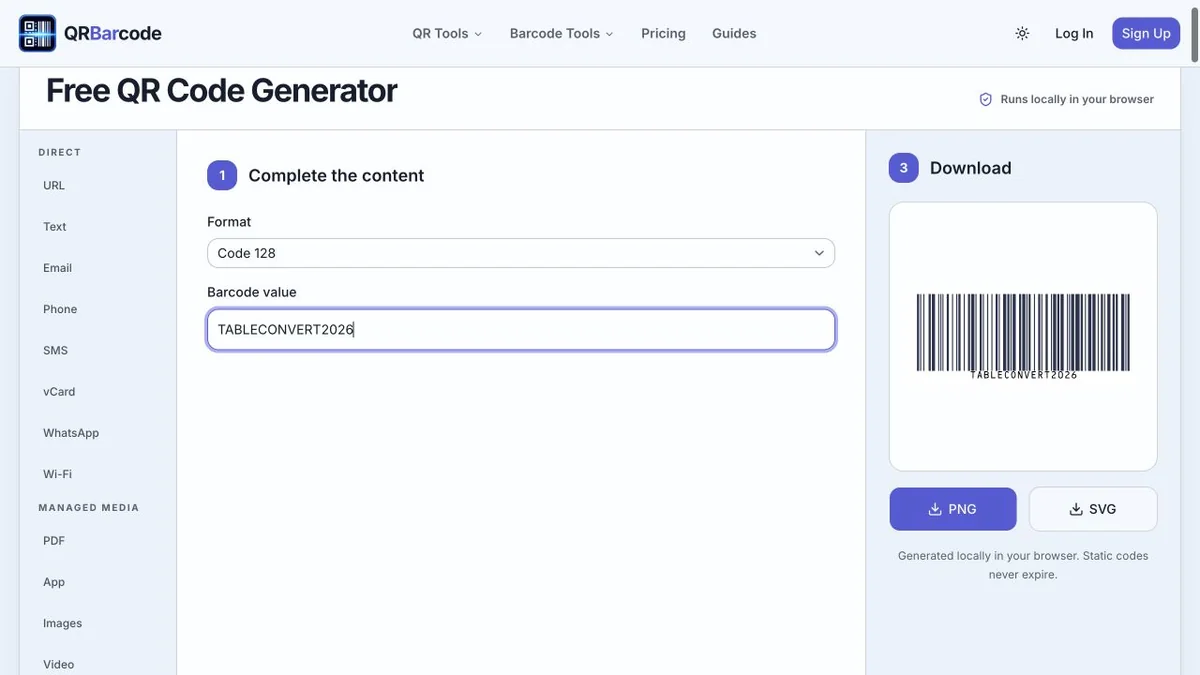
Hands-on test on July 21, 2026: Code 128 accepted an alphanumeric internal identifier and produced a live symbol.
The renderer tests also decoded Code 128, EAN-13, UPC-A, Data Matrix, PDF417, and Aztec outputs. That breadth is useful, but it needs one qualification: rendering a retail barcode is not the same as obtaining a product identifier. A shop, marketplace, or supply-chain partner may require a legitimately assigned GS1 number, a specific size, and print verification. QRBarcode can validate and draw supported data; it cannot establish ownership of a made-up UPC or EAN.
I like that the formats live together while retaining format-specific validation. A warehouse Code 128 identifier, a retail EAN-13, and a mobile Aztec ticket are not interchangeable just because all three are “barcodes.”
Static and dynamic QR codes have different failure modes
The most important product boundary is visible below the generator: static codes encode their destination directly, while dynamic codes use a managed redirect or hosted experience.
Static is the right choice when the payload should not change. The code can be generated anonymously, downloaded, and decoded without depending on a QRBarcode account or redirect. If it contains a normal website URL, the website and domain still have to remain available.
Dynamic is useful when printed material must survive a destination change. The public dynamic-code editor describes editable destinations, hosted mobile content, code organization, and privacy-aware analytics. It lists managed types for website, app, social, profile, business, coupon, feedback, video, images, PDF, MP3, links, event, and menu experiences. Those capabilities require saved state and ownership, so an account is not merely an arbitrary gate.
The tradeoff is operational dependence. A dynamic code adds a short-link service, account status, campaign configuration, and sometimes a plan limit between the scanner and the final destination. Teams should record who owns the account and domain, how long printed pieces will circulate, and what happens if a subscription or campaign is retired.
Analytics, bulk CSV, and API: researched, not anonymously tested
The public workspace describes scan trends by day, country, device, browser, and referrer while avoiding storage of raw visitor data. That can answer campaign questions a static code cannot answer on its own. It also means scans pass through a managed redirect, so the privacy notice and retention model matter.
Bulk CSV generation addresses another genuine need: making many codes from structured rows instead of repeating the form manually. Before using it, I would validate required columns, preserve identifiers as text, and test a small batch. Table data is exactly where leading zeroes, automatic date conversion, and inconsistent URLs create bad symbols. TableConvert can help inspect or reshape a CSV file before an Excel export, but the final QR payload rules still belong to QRBarcode.
The API offers a path for systems that generate or manage codes programmatically. I did not authenticate or measure rate limits in this review. A production evaluation should check key rotation, quotas, error responses, idempotency for creates, download formats, and the dynamic-code lifecycle rather than assuming the visual editor and API behave identically.
What worked well
The clearest strengths are the immediate preview, the unusually complete design controls, local handling for static content, two sensible export formats, and real validation across six barcode families. The interface also explains the static/dynamic split instead of using “free QR code generator” as a vague promise for every feature.
I particularly appreciate that the product does not treat error correction as a hidden expert setting. A higher level creates a denser symbol and is not a license to erase modules, but exposing the choice helps designers understand the reliability tradeoff.
The layout has one mild cost: there are many type tabs and many visual controls. A person who only wants a black URL code may find the feature surface larger than necessary. The defaults are workable, though, so the extra capability does not force extra configuration.
Limits I would keep in mind
QRBarcode cannot guarantee that a code will scan after every print process, that a linked destination is safe, or that a third-party camera will interpret every structured payload in the same way. Transparent backgrounds and gradients are easy to misuse. Logos consume error-correction headroom. Retail identifiers need authoritative assignment outside the generator.
For dynamic work, the vendor relationship is part of the code’s reliability. For static work, the encoded content is difficult to change after printing. Neither model is universally better.
Final verdict
My QRBarcode review is positive because the anonymous product did the core job under test: it created styled static codes, kept the preview responsive, exported practical formats, and produced symbols that decoded in the current regression checks. The Wi-Fi and barcode paths were not decorative add-ons; they applied appropriate fields and validation.
Use it as a free QR code generator when you need URL, contact, messaging, Wi-Fi, text, or supported barcode output with more design control than the usual one-color form. Consider its managed features when destination editing and analytics justify an account. In both cases, test the final physical or digital placement and keep a record of the exact payload. That last operational step matters more than any frame style.